Creator guides
Plan Comic Panels with Clear Actions and Continuity
Turn story beats into drawable moments and catch confusing transitions before you generate any panels.
Give each panel one job
A storyboard translates a sequence of events into moments a reader can connect. Start by writing the job of each panel: establish the place, reveal a problem, show a decision, or show the result. A panel can contain background detail, but its main action should be easy to name in one short sentence.
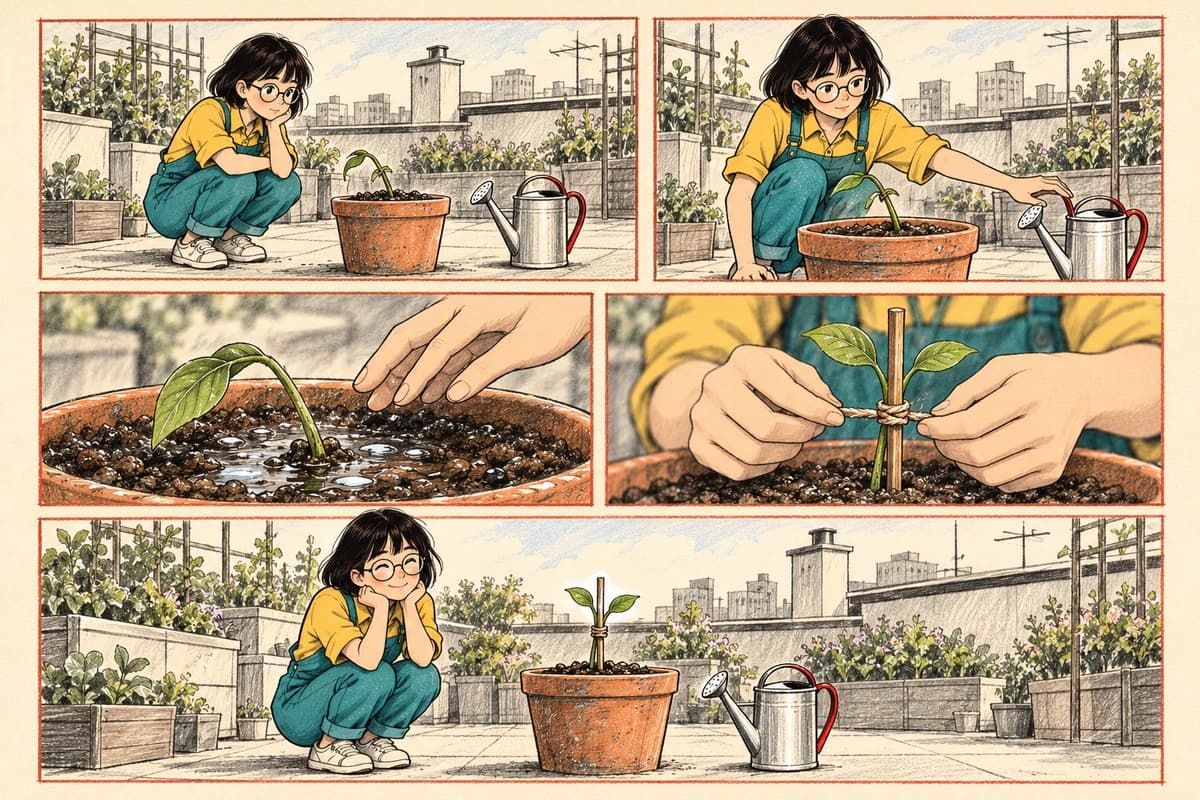
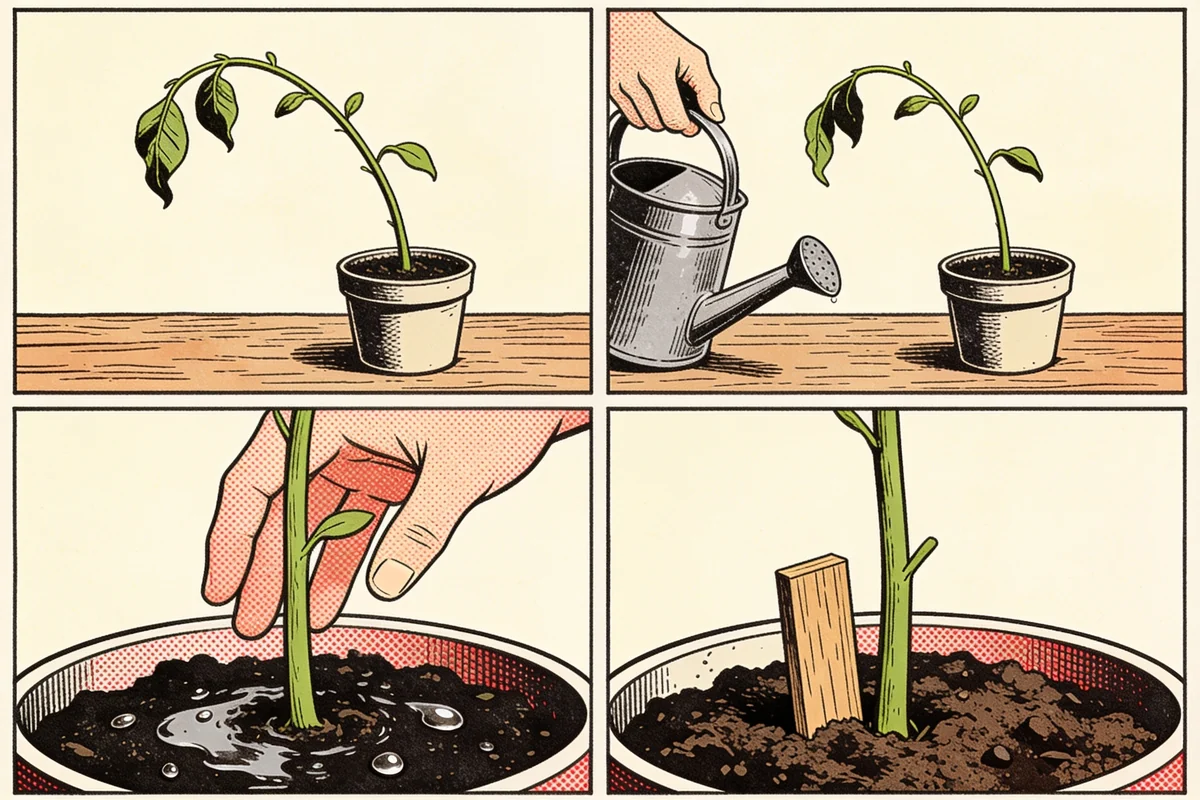
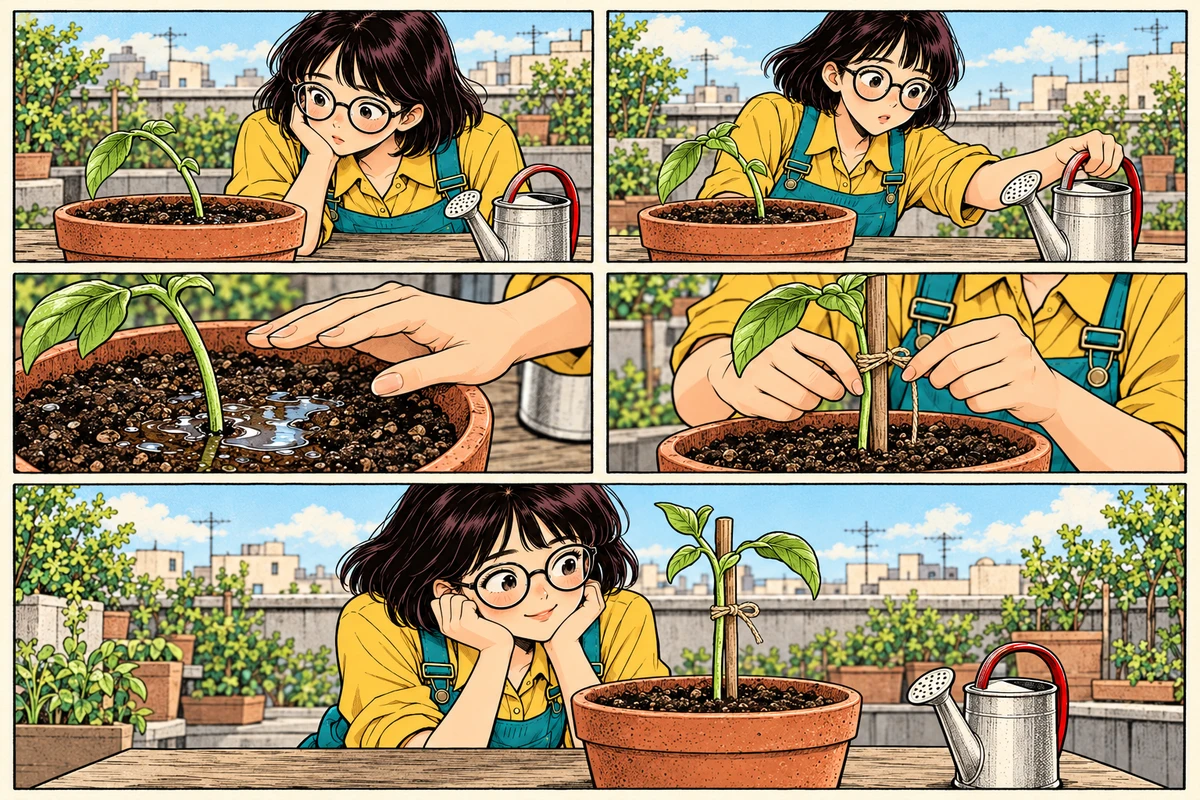
Consider a story in which Mina helps a leaning seedling. “She picks up a watering can, notices wet soil, puts it down, and finds a support” is a sequence, not a single drawable moment. Separate the change of plan from the action that follows it. The reader needs to see why she changes direction.
Build a small shot list
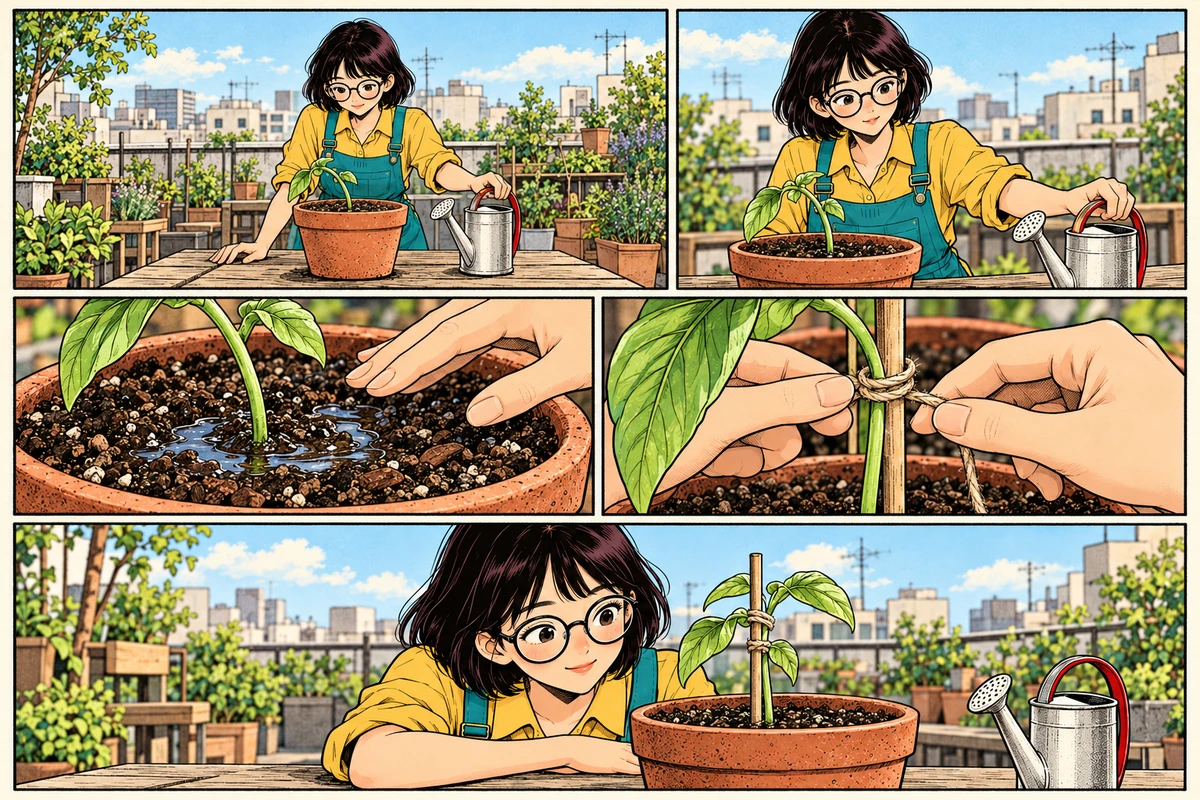
Use this five-panel plan as a starting point, then adjust it to your own story:
| Panel | Main image | Purpose |
|---|---|---|
| 1 | Wide view of Mina beside the rooftop planter | Establish the location and leaning seedling |
| 2 | Medium view of her reaching toward the can | Show her first plan |
| 3 | Close view of wet soil and her paused hand | Reveal the reason to stop |
| 4 | Close view of her placing a support by the stem | Show the new choice |
| 5 | Medium view of the upright seedling and Mina | Let the result register |
The shots get closer when the reader needs a detail, then open up for the ending. You do not need a different camera angle in every panel. Repeating a useful angle can make a small change more noticeable.
Write a continuity note beside the shots
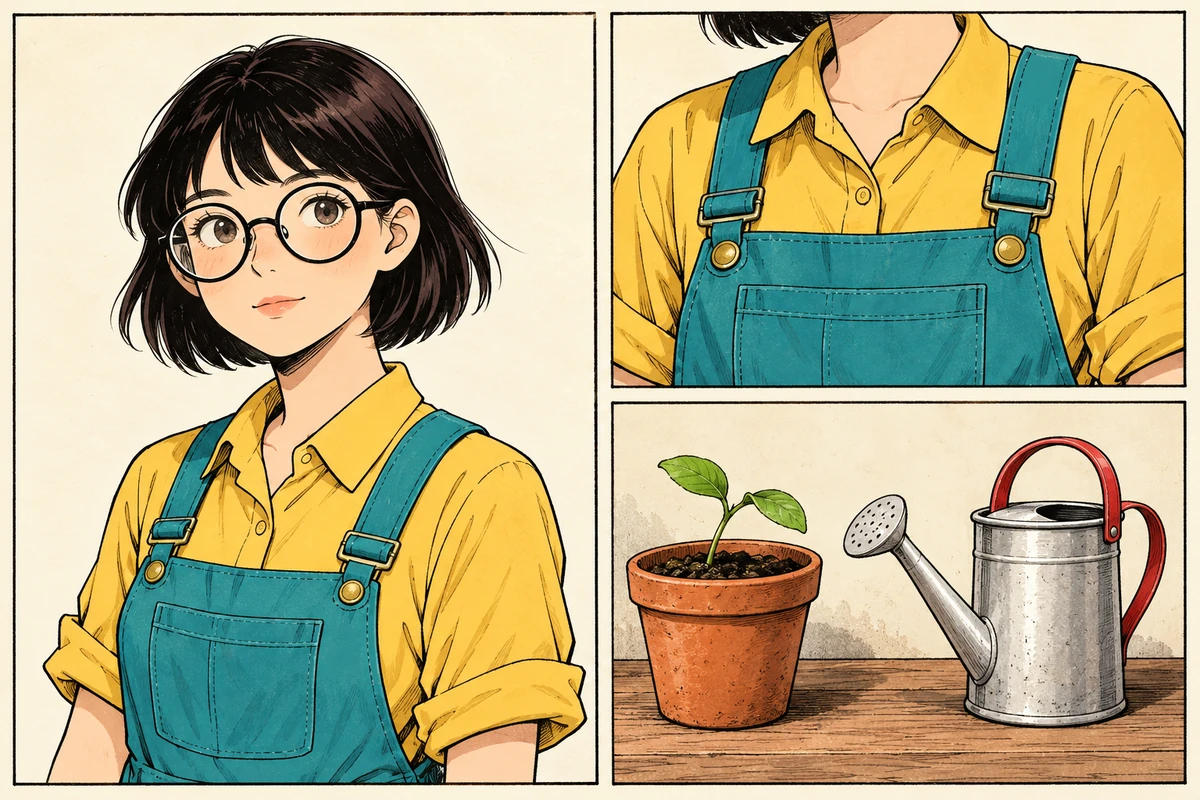
Choose the details that must remain stable: Mina's round glasses, yellow shirt, teal overalls, the pot's shape, and the watering can's position. Then note which details deliberately change: her hand moves, the support appears, and the seedling becomes upright.
Keep left and right relationships understandable. If Mina stands to the left of the planter in the opening, an unexplained reversal can make it look as though she moved. A new viewpoint is possible, but provide enough background or an intermediate view for the reader to follow. Check the direction of her gaze as well as the placement of objects.
Reserve space for words and pauses
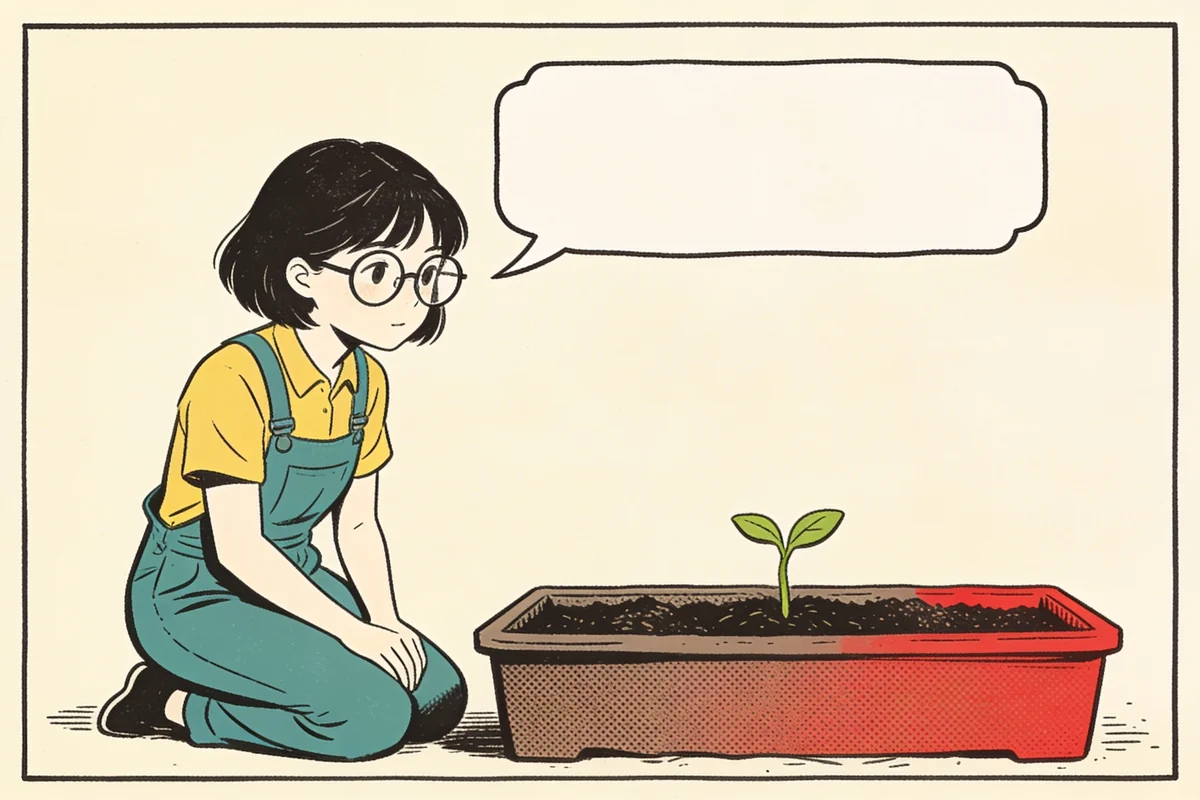
Record dialogue separately from the image description. For panel three, the image note might be “hand hovering above visibly wet soil,” while the line is “Wait… it already has enough.” Leave a quiet area near the speaker rather than planning lettering over the seedling, which carries the clue.
At page composition, choose a clear reading direction and follow it consistently. For this exercise, use left to right within each row and top to bottom between rows. A larger ending panel can give the result more attention, but size alone will not repair a missing story step. First make sure the sequence reads correctly with simple equal rectangles.
Test the storyboard before confirming shots
Read only the image notes, without dialogue. Then imagine a reader seeing each image for the first time. Use these checks:
Does each panel have one main action?
Is the wet-soil clue visible before the support is introduced?
Do clothing, props, and character positions stay consistent?
Is there room for bubbles without covering important information?
Does the final panel show a result that differs from the opening?
In KOMI, edit the storyboard descriptions until these answers are clear, then confirm the shots and proceed to model selection and the quote. Revising a confusing sentence here gives you a more precise target for generation. If the story itself needs work, revisit the one-page story exercise. When the plan is ready, continue with generating, composing, and exporting your first comic.